The YARD Stick One is a small sub-GHz USB radio dongle built around the CC1111, the same chip family that older garage and door remotes speak through. For years it was a common way to do sub-GHz RF work from a laptop: listen to a 433 MHz remote, capture the frames, transmit them back. Then the Flipper Zero made the same kind of thing fashionable again, and mine had been sitting in a drawer for years. I plugged it in. The hardware still worked. The software around it had not aged well.
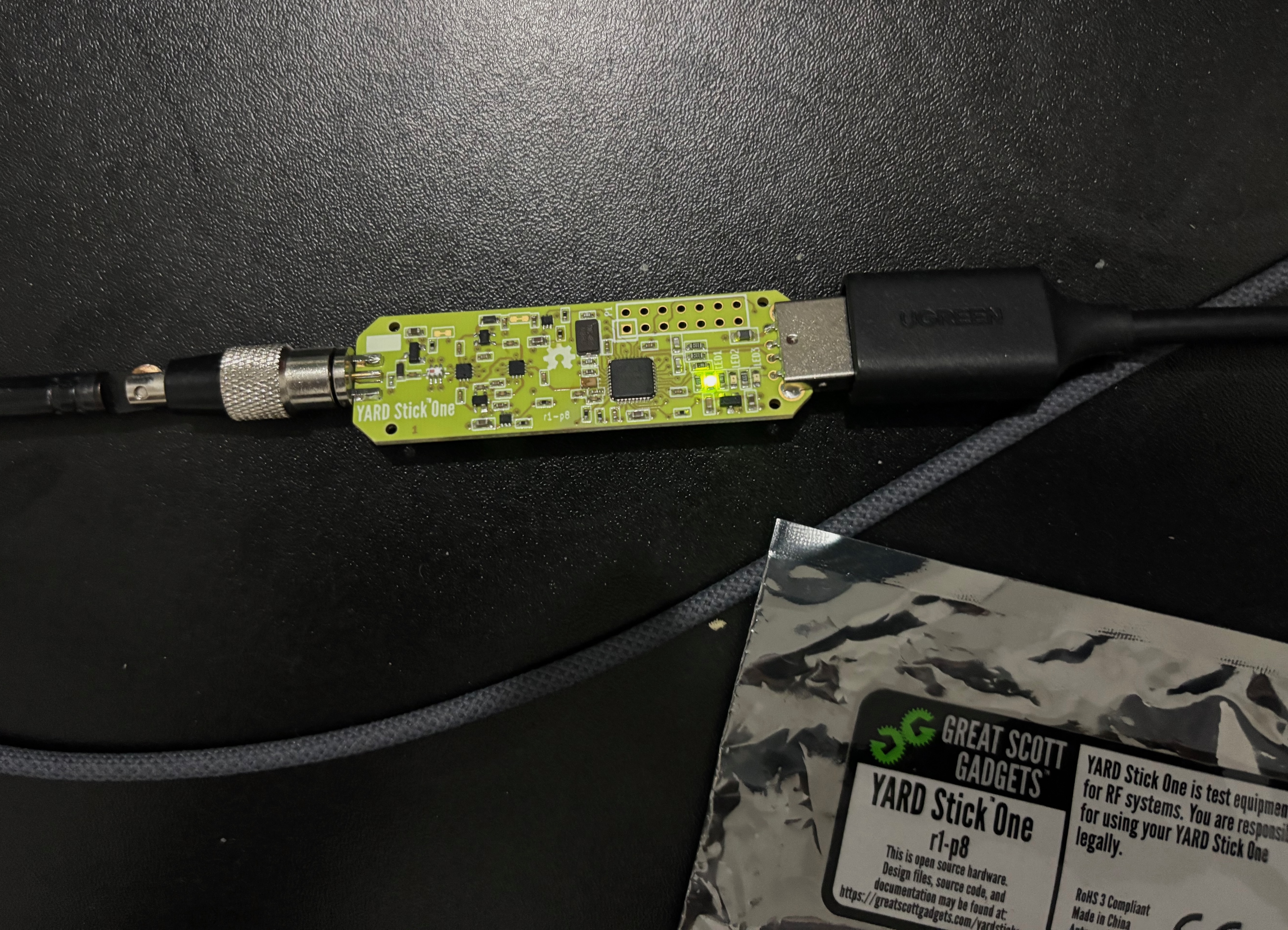
The story has two halves. The first is fixing rfcat, the Python library that talks to the dongle, so it runs at all on a current macOS machine with Python 3.14. The second is building a small set of tools on top of it, ending in a Flipper-style spectrum analyzer with record and replay. Both halves turned out to be more interesting than I expected, and the second one had a real bug in it that took a day to understand.
The library would not import
rfcat ships as Python 2 source. The repo I had was v3.0.1, already patched partway toward Python 3, but on Python 3.14 it failed early. Some of the failures were the obvious ones: setDaemon is a removed attribute on threading.Thread, isSet on Event was renamed to is_set years ago, and a couple of Event.wait() calls were missing the timeout argument that used to default cleanly. Those were mechanical fixes.
The first non-obvious failure was that the dongle was detected, then immediately mislabeled. The CC1111 has a part number of 0x11 (decimal 17), and rfcat has a dictionary that maps known part numbers to chip names:
chip = self.getPartNum()
chipstr = CHIPS.get(chip)
CHIPS[0x11] is "CC1111". The dongle was reporting 0x11 correctly. And then the library was printing unrecognized dongle: 17 and refusing to continue. That was the first thing I read in the terminal, and it took a minute to see why.
The logic in finish_setup() was inverted. The branch that should have been taken only when the chip was unknown was being taken when the chip was known, and the branch that should have set self.chipstr to the looked-up name was unreachable. So the correct "CC1111" got overwritten with "unrecognized dongle: 17" on every run. A two-line fix:
if chip is None:
    print("Older firmware, consider upgrading.")
elif chipstr is None:
    self.chipstr = "unrecognized dongle: %s" % chip
else:
    self.chipstr = chipstr
That kind of bug is the most annoying sort: the failure message looks like a hardware problem, so you spend ten minutes replugging the dongle and checking lsusb before you read the source.
The second class of problems was about shutting the library down. The original code started a daemon thread that polled USB forever and had no real stop path. On a clean Ctrl-C the interpreter would hang for several seconds while the thread kept trying to read from a closed device, and on a bad day it would leave the dongle in a state that required a replug. There was no stop() method, no _stopping flag, and the resetup() loop had no exit condition other than the dongle coming back.
I added a stop() method that sets a flag, joins the thread with a timeout, and is registered with atexit so an interpreter exit still cleans up. The flag is checked in the resetup() loop and in the receive loop. setDaemon became the daemon property, isSet became is_set, and every Event.wait() got an explicit timeout. None of these are interesting on their own. Together they turn “the library hangs on exit” into “the library exits with code 0,” which is what you need before you can build anything on top of it.
I installed the patched rfcat in editable mode in a fresh conda environment and ran the seven built-in tests. All seven passed on Python 3.14, and a ping loop with the dongle responded 10 out of 10. The library was usable again.
Listening at 433.92 MHz
The first tool was a scanner. Set the frequency, set the modulation, set the baud rate, call RFrecv in a loop, print what comes back. The YARD Stick One exposes a helper called lowball() that puts the radio into a permissive OOK receive mode without needing a sync word, which is what you want when you do not know the protocol yet.
d.setFreq(433920000)
d.setMdmDRate(19200)
d.setMdmModulation(MOD_ASK_OOK)
d.lowball(level=1, sync=0xaaaa, length=250, pqt=0,
          crc=False, fec=False, datawhite=False)
d.setModeRX()

while True:
    try:
        data, _ = d.RFrecv(1000)
        print(hexlify(data).decode())
    except ChipconUsbTimeoutException:
        continue
This is scan.py, and at 433.92 MHz it produced a wall of 0xff bytes. OOK with no carrier reads as all-ones, so an empty channel is a constant stream of ff ff ff ff. The first version was technically correct and practically useless.
The second version, scan2.py, added two filters. The first rejects packets that are mostly a single byte, which catches both the ff noise floor and the 00 silence. The second counts byte transitions and rejects packets with fewer than ten, on the assumption that a real remote signal has structure, not a flat run. With those two filters the scanner went quiet on an empty channel and only printed when something that looked like a frame came through.
The remaining problem was the baud rate. I was guessing. A 433 MHz remote could be anywhere from 1k to 20k baud, and if you are off by a factor of two the radio decodes garbage that the noise filter is happy to reject. So the third tool, sweep.py, cycled through the common rates and listened for a few seconds at each:
for baud in [1000, 2000, 2400, 4800, 9600, 19200]:
    d.setMdmDRate(baud)
    d.lowball(level=1, sync=0xaaaa, length=250, pqt=0,
              crc=False, fec=False, datawhite=False)
    d.setModeRX()
    deadline = time.time() + 8
    while time.time() < deadline:
        try:
            data, _ = d.RFrecv(1000)
            if not is_noise(data) and transitions(data) >= 10:
                print(f'{baud} baud: {hexlify(data).decode()}')
        except ChipconUsbTimeoutException:
            continue
I have a door remote that I own, on 433.92 MHz, and I pressed it through the sweep. The signal showed up cleanly at 9600 baud and nowhere else. With the right baud rate, the same remote produced the same fixed frame on every press, four or more times in a row, which is the usual pattern for a static-code remote. That was enough to know the radio parameters and that the code was not rolling. I had the raw bytes for the next step.
A Flipper-style spectrum analyzer
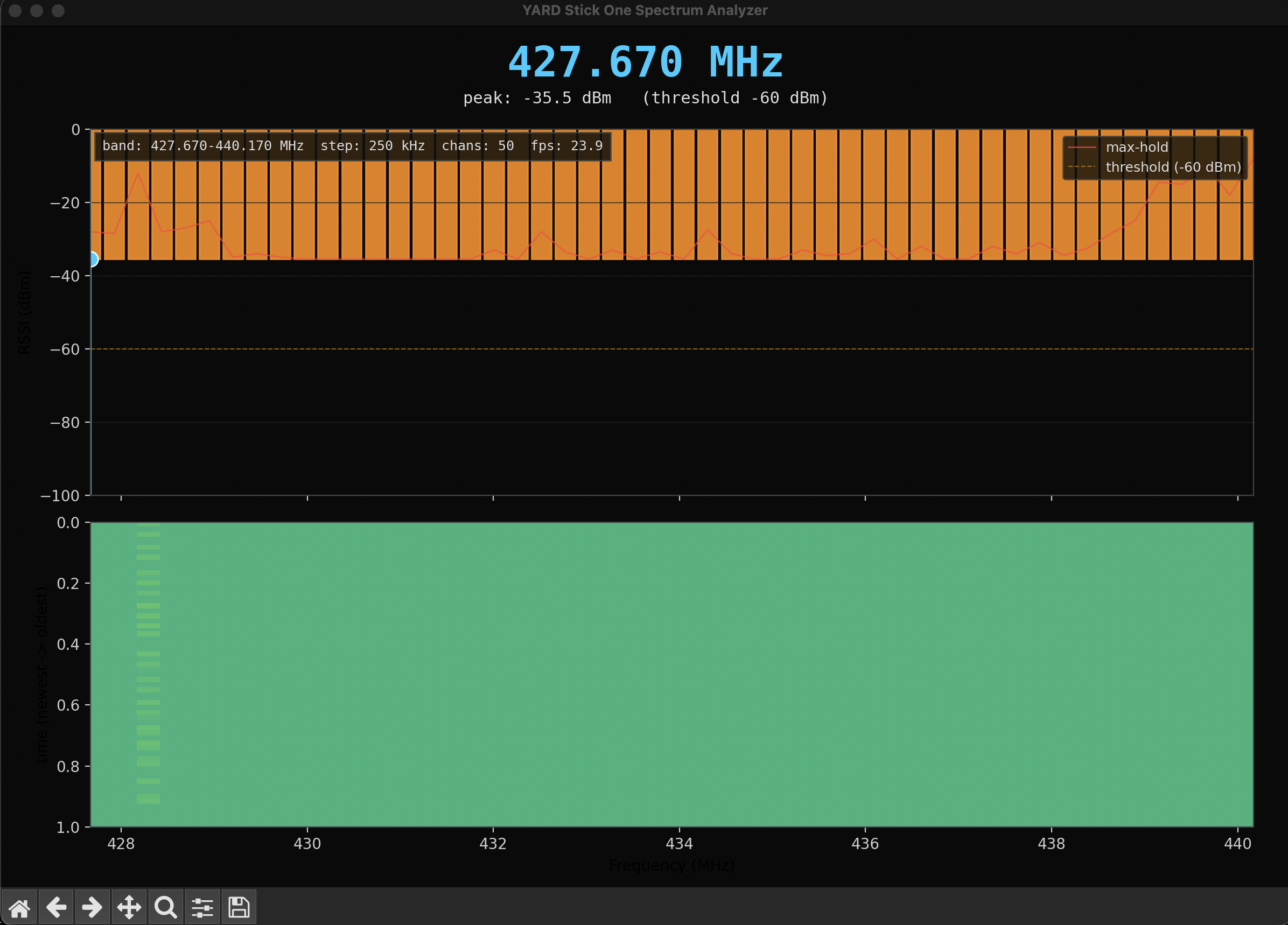
The bundled ccspecan.py is a Qt spectrum analyzer for the dongle. It does not run on this machine. PySide6 installs, but the Cocoa plugin fails to load, and the error is the kind of thing you can chase for an afternoon without winning. Rather than fight Qt I wrote a new analyzer in matplotlib. The result is sa.py, and the layout is borrowed from the Flipper Zero: a big peak-frequency readout at the top, a filled spectrum in the middle with a threshold line and a peak marker, and a waterfall spectrogram below it showing the last two minutes of activity.
The dongle side is a _doSpecAn() call that tells the CC1111 to sweep a band and stream RSSI samples back over USB. Each frame is one byte per channel, and a small helper converts each byte to dBm:
def rssi_to_dbm(b):
    return ((ord23(b) ^ 0x80) / 2) - 88
The plot side is straightforward matplotlib: a GridSpec with two axes, a bar collection for the spectrum, an imshow for the waterfall, a couple of axhline and axvline for the threshold and peak marker, and two fig.text calls for the big peak readout and the subtext. The waterfall is a fixed-size numpy array; each new frame pushes the previous content down one row and writes the newest sample at the top. Nothing exotic, and no Qt.
python sa.py                              # 433.92 MHz, 250 kHz steps, 50 chans
python sa.py -f 915000000 -c 500000 -n 60 # 902-928 ISM band
python sa.py --threshold -70              # more sensitive peak detection
So far so good. The plot updated in real time, the peak frequency at the top settled on 433.92 MHz when I keyed the remote, and the waterfall showed a bright horizontal stripe at the right frequency when I held the button. The next feature was the one that broke everything.
Record and replay, and the freeze
The point of having a spectrum analyzer on a record-and-replay dongle is to record and replay. I added a STATE_RECORDING mode that stopped the specan, switched the radio into OOK receive at 9600 baud, and called RFrecv in a loop, appending each captured frame to a list. Replay did the inverse: switched into transmit and called RFxmit with each saved frame in order. The keys were r to toggle recording and p to replay.
The first version froze the window the first time I pressed r.
This was not a matplotlib issue. The window froze because the key handler was running in the GUI thread, and the key handler was calling setModeRX() on the dongle, which is a blocking USB call. While that call was in flight the plot could not redraw, the window could not respond, and the operating system showed the spinning beachball. Once setModeRX() returned, the receive loop started, and the receive loop was also running in the GUI thread, so the window stayed frozen for as long as recording was active. Pressing r again to stop recording was impossible because the window was not processing key events.
There was a worse version of the same problem. If the receive loop was in the GUI thread and the specan sweep was also active, two threads were talking to the same USB endpoint at the same time. The CC1111 firmware is not designed for concurrent USB access. Sometimes this caused a ChipconUsbTimeoutException. Sometimes it caused a quiet deadlock where neither call returned. The dongle is a single-threaded resource, and I was treating it as a concurrent one.
One controller thread, one owner
The fix was architectural. All dongle access now happens in one background thread, called Controller, and the GUI thread never touches the radio. The GUI reads shared state through a small set of accessors and requests state transitions through a single non-blocking method:
class Controller:
    def __init__(self, d, src, args, mod_const):
        self.d = d
        self.src = src
        self._stop = threading.Event()
        self._action_lock = threading.Lock()
        self._pending = None
        self._state_lock = threading.Lock()
        self._state = STATE_SPECAN
        self.thread = threading.Thread(target=self._run, daemon=True)

    def request(self, action):
        with self._action_lock:
            self._pending = action

    def _take_action(self):
        with self._action_lock:
            action = self._pending
            self._pending = None
            return action
The controller runs a state machine with three states: STATE_SPECAN, STATE_RECORDING, STATE_REPLAYING. Each iteration of the run loop checks for a pending action, executes it if there is one, and otherwise calls _tick() to do the work appropriate to the current state. Specan ticks read one RSSI frame. Recording ticks read one packet. Replay ticks transmit one saved packet. All USB access is inside this loop, and only inside this loop.
def _run(self):
    self.src.start_specan()
    while not self._stop.is_set():
        action = self._take_action()
        if action is not None:
            if action == 'record_start' and self.state == STATE_SPECAN:
                self._start_recording()
            elif action == 'record_stop' and self.state == STATE_RECORDING:
                self._stop_recording()
            elif action == 'replay_start' and self.state == STATE_SPECAN:
                self._start_replay()
            # ... save, load, clear, quit
            continue
        self._tick()
The GUI thread, by contrast, is now almost empty. The key handler calls ctrl.request('record_start') and returns immediately. The main loop calls ctrl.latest_rssi() to get the most recent frame, updates the bars and the waterfall, and sleeps until the next animation tick. If the controller is mid-transition and there is no fresh RSSI data, the GUI just draws the last frame it had. The window never blocks, because the GUI thread no longer does anything that could block.
Mode transitions also got an explicit settle step. The CC1111 does not like going directly from specan to RX, or from RX to TX. Between any two radio modes you call setModeIDLE() and wait. I used 150 ms, which is more than the firmware needs and short enough that the UI transition still feels instant:
def _idle_settle(self):
    try:
        self.d.setModeIDLE()
    except Exception:
        pass
    time.sleep(0.15)
Every transition calls _idle_settle() before reconfiguring the radio. This was not the cause of the freeze, but it was the cause of the ChipconUsbTimeoutException that occasionally showed up after the freeze was fixed. The radio needs time to settle, and giving it that time made the exception go away.
The recording format
Recording is one binary file per capture. The format is small and length-prefixed so it can be read back without a separator or a parser. A four-byte magic, a header with the packet count, frequency, baud, and modulation, and then a body of length-prefixed (timestamp, data) tuples:
REC_MAGIC = b'RFR1'

def save_recording(filepath, packets, freq, baud, mod):
    with open(filepath, 'wb') as f:
        f.write(REC_MAGIC)
        f.write(struct.pack('<I', len(packets)))
        f.write(struct.pack('<d', freq))
        f.write(struct.pack('<I', baud))
        f.write(struct.pack('<I', len(mod)))
        f.write(mod.encode('ascii'))
        for ts, data in packets:
            f.write(struct.pack('<d', ts))
            f.write(struct.pack('<I', len(data)))
            f.write(data)
The frequency, baud, and modulation are stored with the recording so that replay does not need to be told what was captured. A recording made at 433.92 MHz OOK at 9600 baud replays at 433.92 MHz OOK at 9600 baud. The magic string is what load_recording() checks before it trusts the rest of the file. Files are named rfrec_<unix_timestamp>.bin, s writes one, l loads the most recent.
I deliberately did not put a version field in the header. The magic is RFR1, and if the format ever changes the next version will be RFR2, and an old file will simply fail to load with a clear error rather than parse as something it is not.
Running it
python sa.py
The window opens with the spectrum already sweeping. Keys:
q / Ctrl-C / close window   quit
r                           toggle recording (captures RF packets)
p                           replay last recording (transmits saved data)
s                           save recording to file
l                           load recording from file
c                           clear recording
h                           toggle help overlay
The peak frequency at the top of the window updates in real time. The waterfall below the spectrum keeps the last 120 frames. The recording indicator in the top-right corner blinks while the controller is in STATE_RECORDING, and shows the packet count as it grows.
The verification loop I ran through after the fix:
- Start the analyzer. Spectrum updates, peak frequency at the top settles on the loudest channel.
- Press
r. The UI does not freeze. The status line saysRECORDING. The indicator blinks. - Send the door signal. The packet count in the indicator goes up by four or five each press.
- Press
ragain. The indicator stops blinking, the radio returns to specan, and the spectrum resumes without aChipconUsbTimeoutException. - Press
p. The controller transmits the saved packets in order, then returns to specan. - Press
q. The window closes and the process exits with code 0.
Step 2 was the failure case before the rewrite. Step 4 was the failure case before the _idle_settle() additions. Both are boring now, which is the goal.
What this does and does not do
The analyzer records and replays raw frames. It does not decode them. A 433.92 MHz OOK remote that uses a fixed code is the easy case: capture the bytes, transmit the bytes, the door opens. A rolling-code remote, like most car keys and a growing number of garage doors, is not the easy case. The replay would transmit one captured frame, the receiver would advance its counter, and the next capture would be one step behind. The tooling here does not help with that, and it should not be used on remotes you do not own.
The dongle is also limited in what it can hear. The CC1111 covers roughly 100 to 936 MHz, so it sees the common sub-GHz ISM bands but nothing at 2.4 GHz. It does single-channel OOK and 2FSK well, but it is not a general SDR. There is no ADC, no I/Q, no wideband capture. If you want to look at a signal you have to know roughly where it is and tune to it.
The Python part is the part I enjoyed. rfcat is one of those libraries that was excellent in its day and then half-forgotten, and bringing it back on a current Python was a satisfying afternoon. The dongle still works. The tools are small and readable. The single-thread architecture is the lesson I will keep: a USB radio is not a thread-safe object, and the moment you pretend it is, you start chasing freezes that look like GUI bugs and are really concurrency bugs underneath.